- Add widgets
- Survey Comparison
- Heatmap
- Confidentiality Settings
- eNPS in Workforce Analytics Portal
- Notes Widget
- Text Analysis Widget
- Response rate
- Text Report
- Trend analysis widget
- Show/hide Markers and Building blocks
- Question Filter
- Single Question Widget
- Heatmap default
- Sentiment analysis
- Scorecard
- Driver analysis
- Scorecard: All options view
- Heatmap Column Types
- Multiple Tabs in a Dashboard
- Tab Exports
- AI Summary and Recommendations
- 360 feedback introductory text
- 360 feedback display configurations
- 360 feedback display labels
- Multi Level Priority Logic
- 360 Surveys- Priority Model
- 360 feedback - skip logic
- 360 feedback - show hide question logic
- 360 Survey Settings
- 360 feedback configuration
- Customize the validation text
- 360 Survey design
- 360-Reorder section
- 360 Section Type - Single Select Section
- 360 Delete Sections
- 360 Add Sections
- 360 section type - Free responses text section
- 360 Section Type - Presentations text section
- 360 Section-Edit Configurations
- 360 Survey- Languages
- Matrix section

Heatmap Widget: Column Types
The Heatmap widget in the Employee Experience (EX) Portal has been enhanced to support advanced cross-custom field analytics. Users can now define multiple column types, Split Columns, Merged Columns, and Preset Columns, to visualize complex intersections within employee data directly on the dashboard. These flexible options provide granular control over multi-dimensional reporting, making it easier to compare team, department, and geographic attributes without duplicating layouts.
Watch this video for a quick overview of column types in the Heatmap widget in the EX Portal:
Click to download the videoWhen adding or configuring columns within the updated Heatmap widget modal, you can choose from three structural options:
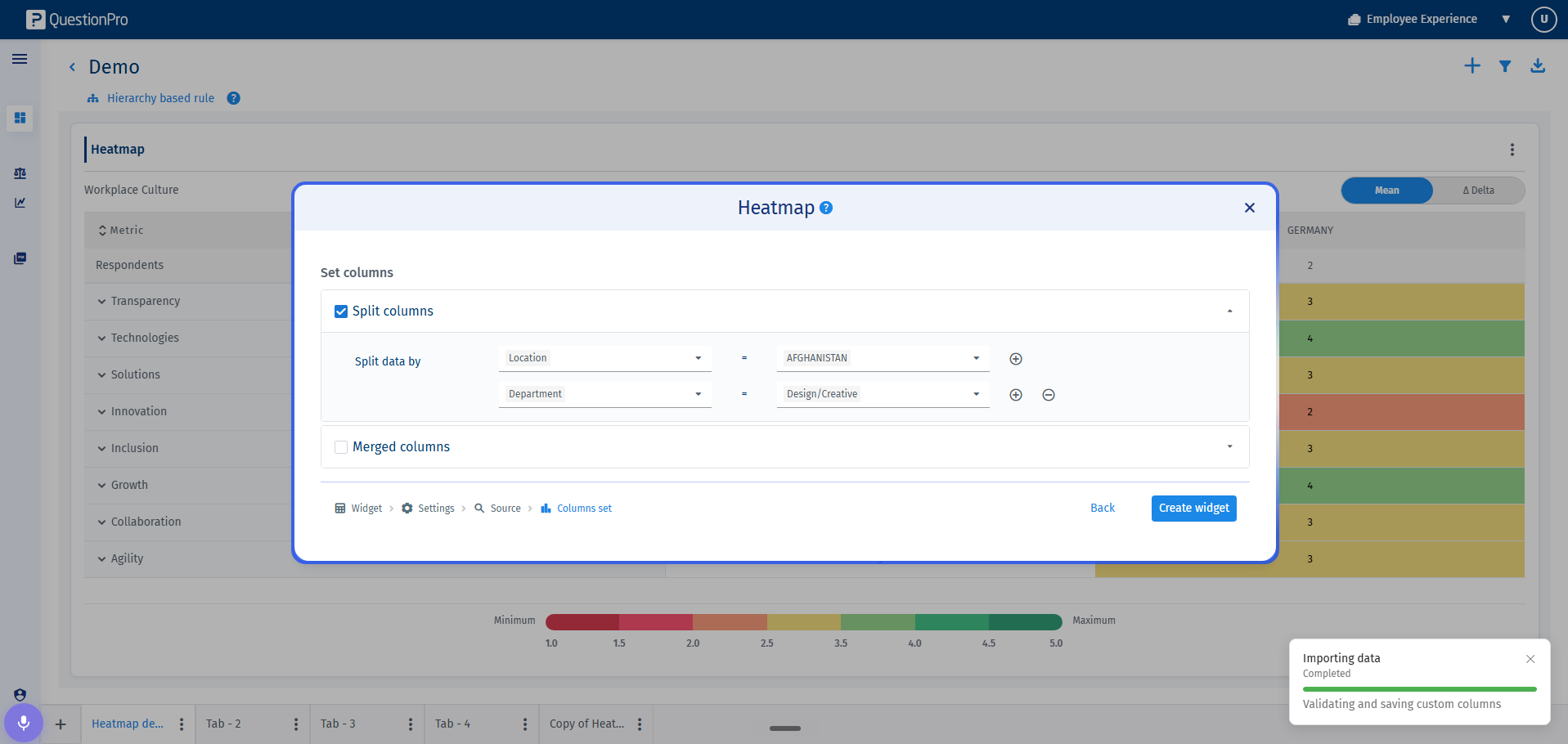
- Split Columns: This feature generates a distinct, individual heatmap column for every unique pairing of a selected custom field and its corresponding value. For example, if your combinations are 'Department - HR', 'Department - Marketing', and 'Region - India', the widget will automatically render three separate columns.
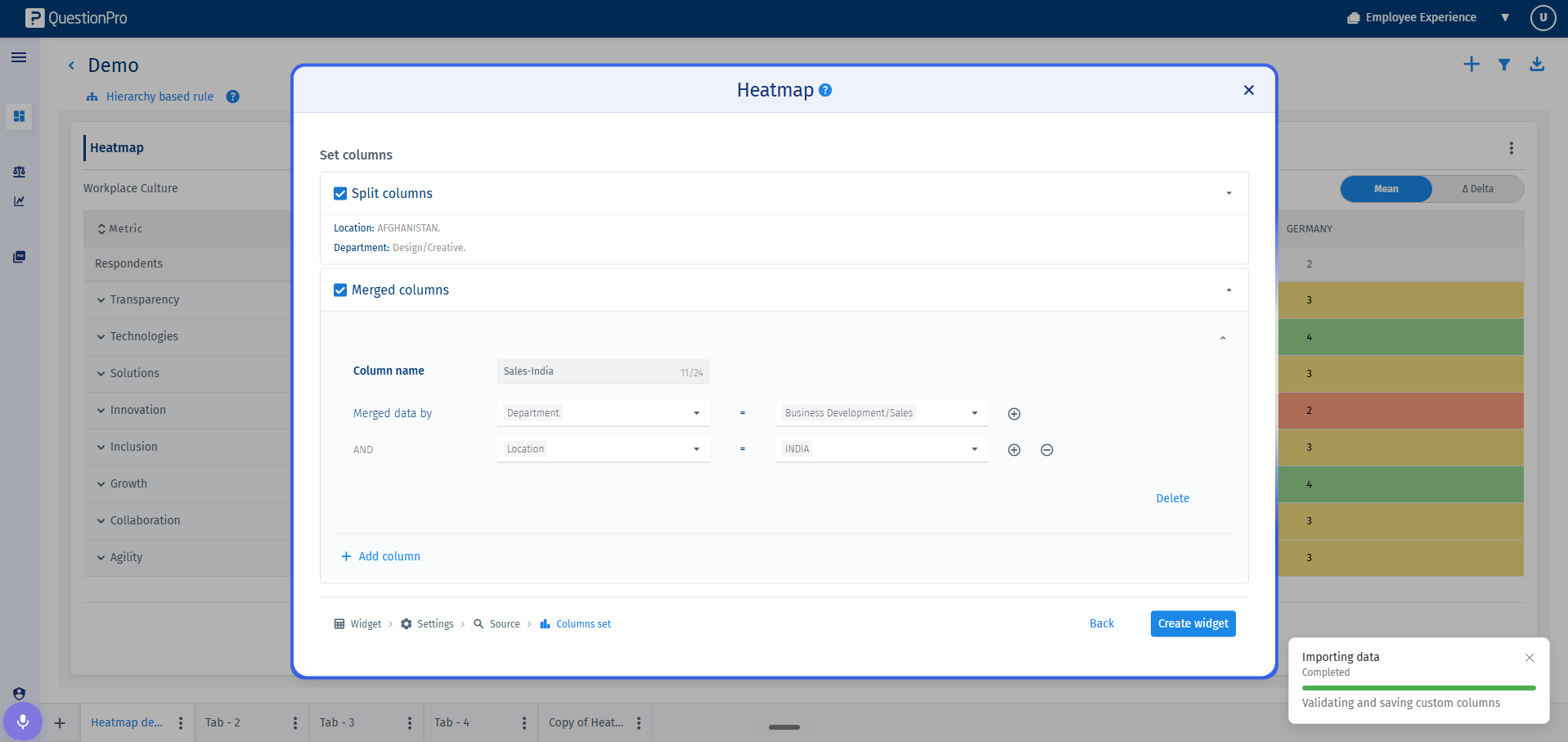
- Merged Columns: This feature consolidates multiple selected field-value combinations into a single, aggregated heatmap column. For example, you can combine 'Department - Sales' and 'Region - India' to produce a single aggregated intersection column labeled 'Sales - India'.
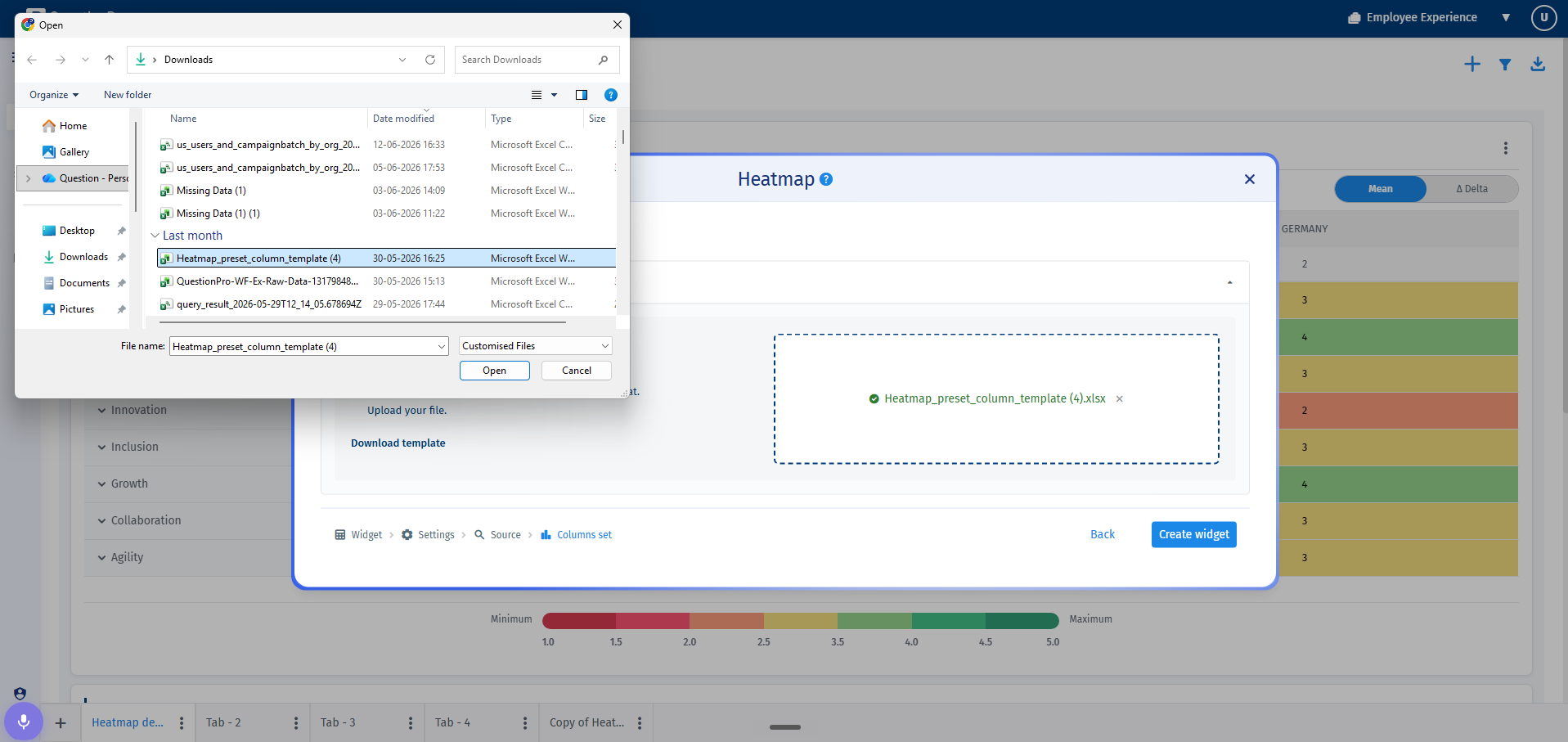
- Preset Columns: This specialized feature allows administrators to pre-define column visibility on a per-user or per-group basis. This ensures that sensitive or audience-specific analytics are selectively displayed to matching dashboard recipients.
To implement Split or Merged columns in your dashboard layout, follow these steps:
- Navigate to your active dashboard and open the Add Widget modal or select edit on an existing Heatmap widget.
- In the configuration menu, choose either Split Columns or Merged Columns depending on your analytical needs.
- Select your target custom field from the single-select dropdown menu, then multi-select the values you want to isolate.
- Click Create or Save. The custom column setup will immediately display in the heatmap widget without requiring a page refresh.
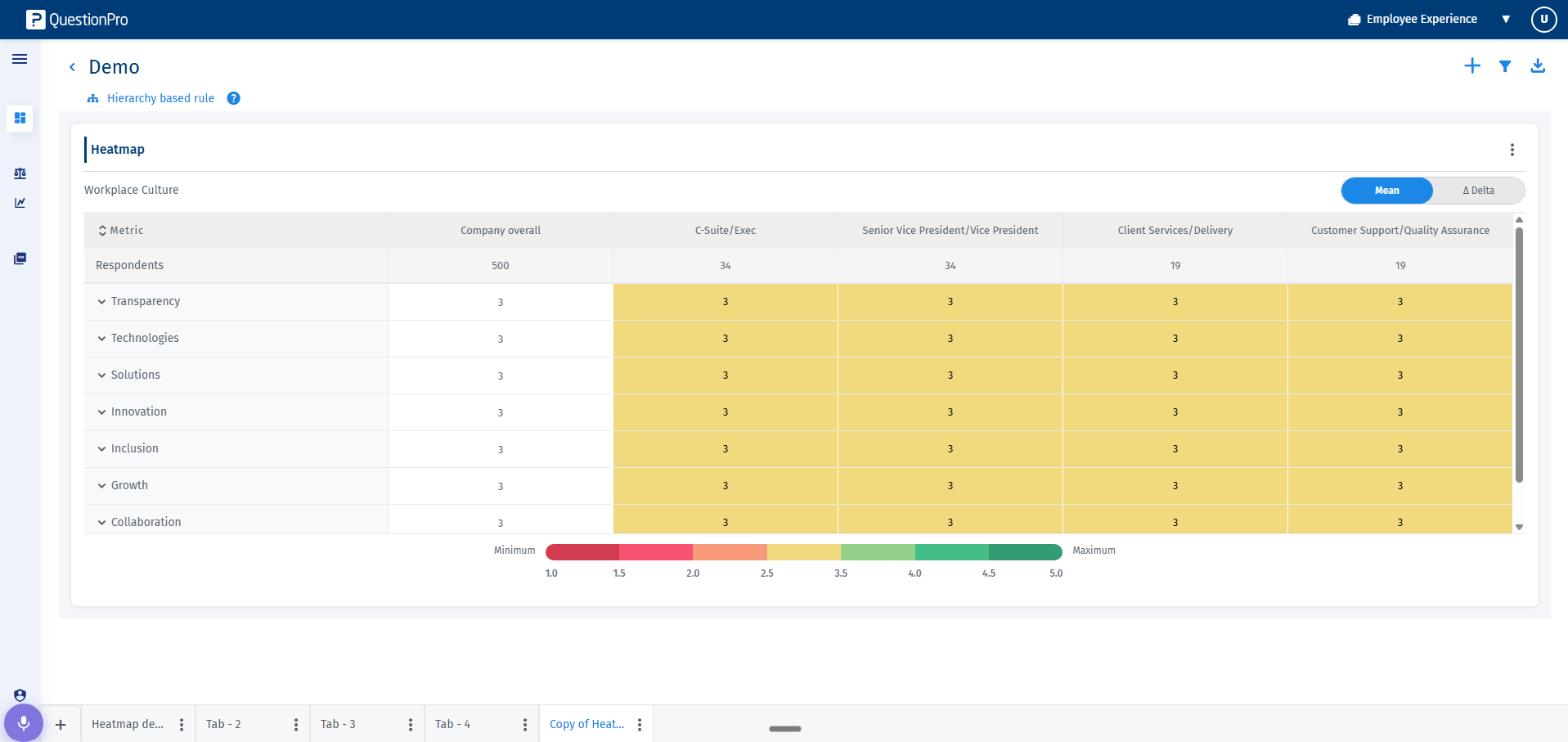
The administrator can adjust or update custom column settings at any time using the modernized compartmentalized edit sidebar:
- Locate your Heatmap widget on the dashboard, click on the three-dot kebab menu at the top-right corner, and click on the Edit option.
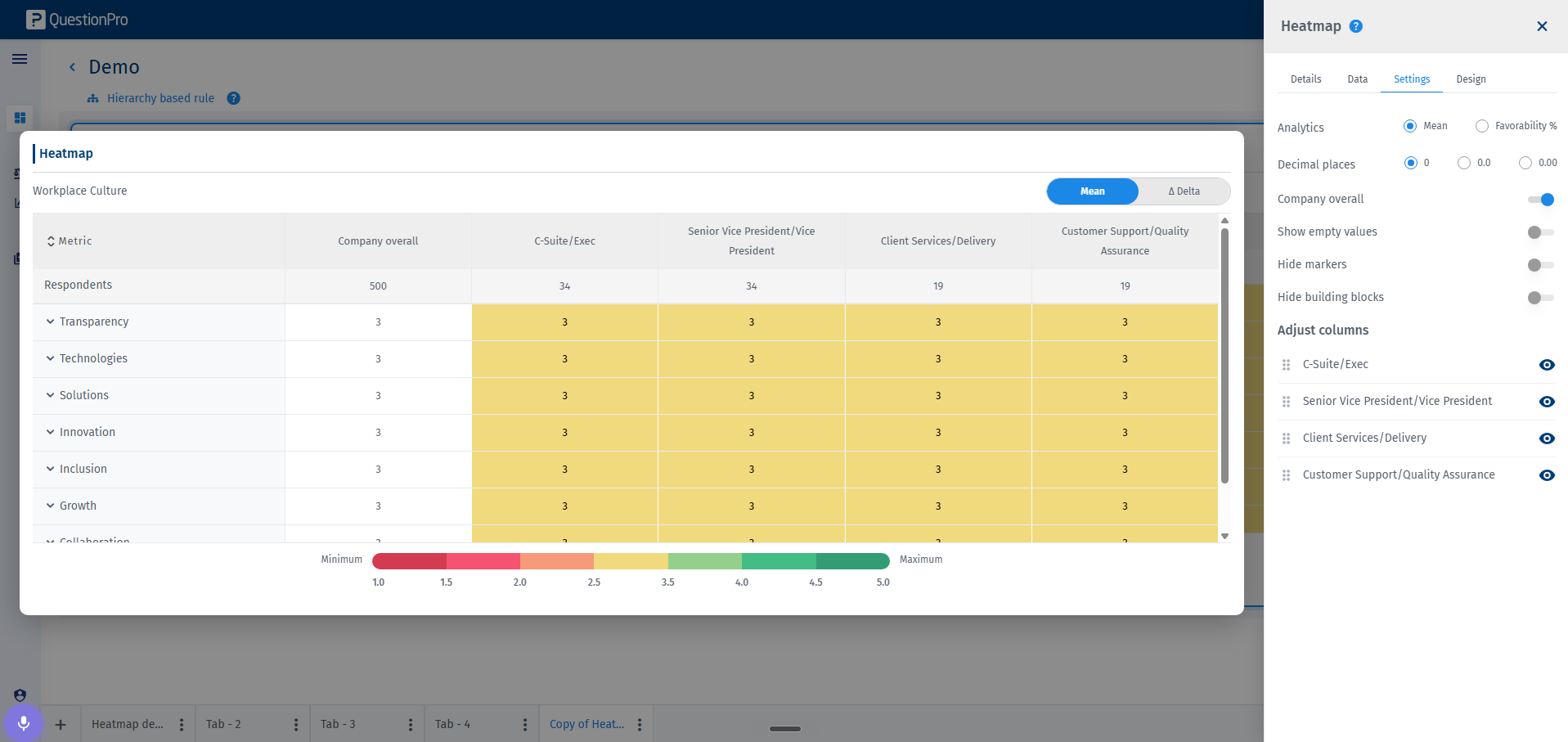
- The edit sidebar will open on the right side of the screen, organized into four distinct tabs: Details, Data, Settings, and Design.
- Navigate to the Settings tab and expand the Adjust columns section.
- To reorder, simply click and drag your custom columns into your preferred sequence.
- To hide or unhide columns from the manager view, click on the Eye icon next to the column name.