

- Community Settings
- Survey Opt-Out for Members
- Security
- Facebook setup
- LinkedIn setup
- Google setup
- Twitch setup
- Social login
- Mobile app - privacy policy
- HMAC
- External passback
- Google Analytics
- Survey swipe
- Communities Authentication - SAML SSO
- Merge all Pending Surveys
- Regional Sign Ups
- User Roles and Permissions
- Data Sharing Options
- Login Authentication
- Global community member profile
- Profiling surveys
- Default surveys
- Global community profile - settings
- Hidden field
- Move profile fields
- Profile fields - survey integration
- Profile sync
- Confidence score
- Import Profile Data
- Profile Groups
- Default Surveys 2.0
- Profiling Surveys 2.0
- Member Profile Fields 2.0
- Send new invitation
- Multiple Responses (Email/SMS)
- SMS pricing
- Survey authentication
- Send Invitation Multilingual
- New invitation profile exclusion
- Custom filter by member ID
- Send later
- Profile field mapping
- Automatic Closure
- Survey Alias
- AI create
- Community WhatsApp Integration
- Whatsapp Integration for Community

Communities - Rewards SetUp
Rewards are incentives given to encourage specific behaviors or actions of the community members. These incentives can be in any form that could be allocated to the members. In Communities, we offer points i.e if a member earns "X" points, then they will get gift cards/incentives which they can redeem for their own use.
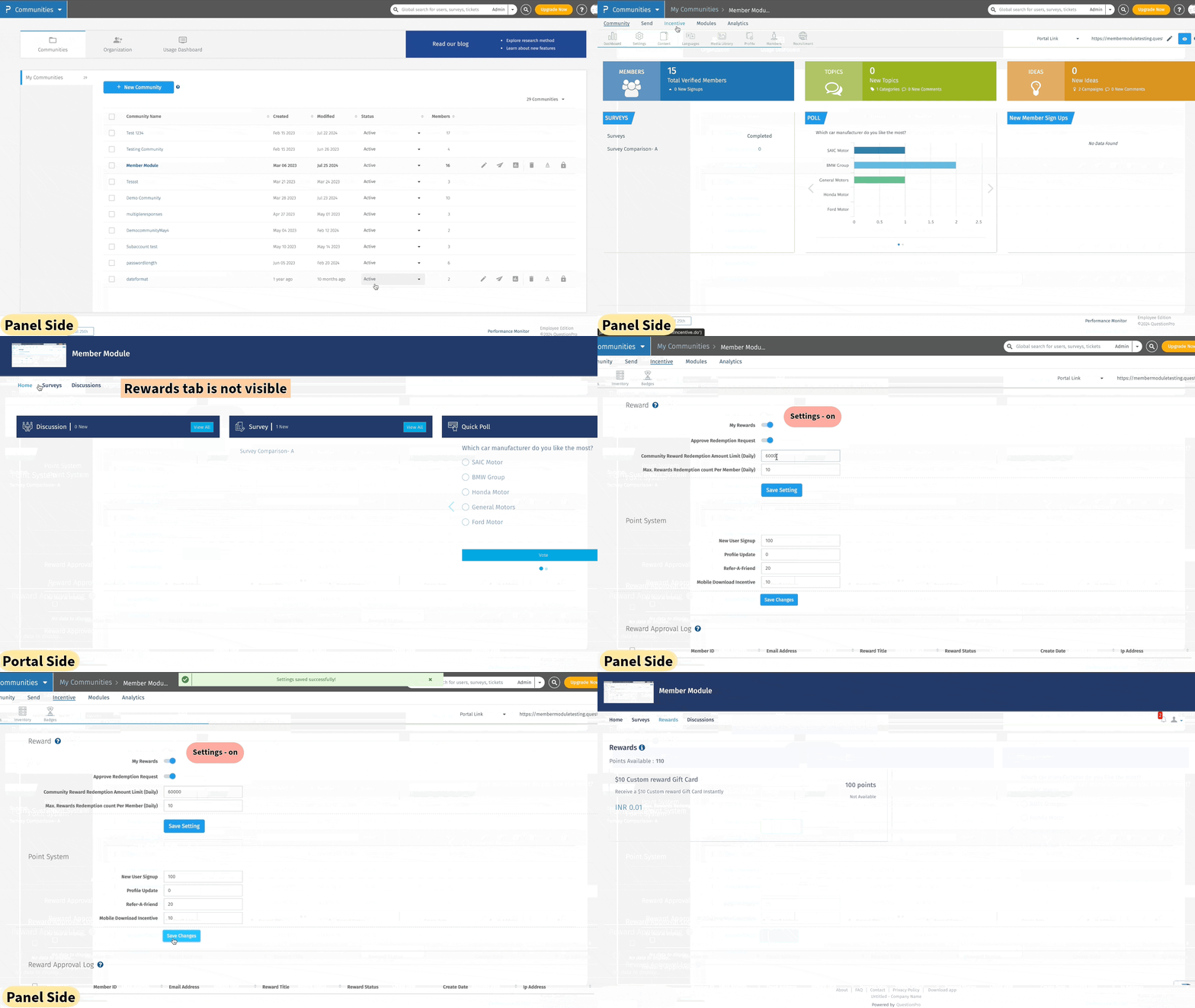 Click to download video
Click to download video
How to enable Rewards in the communities?
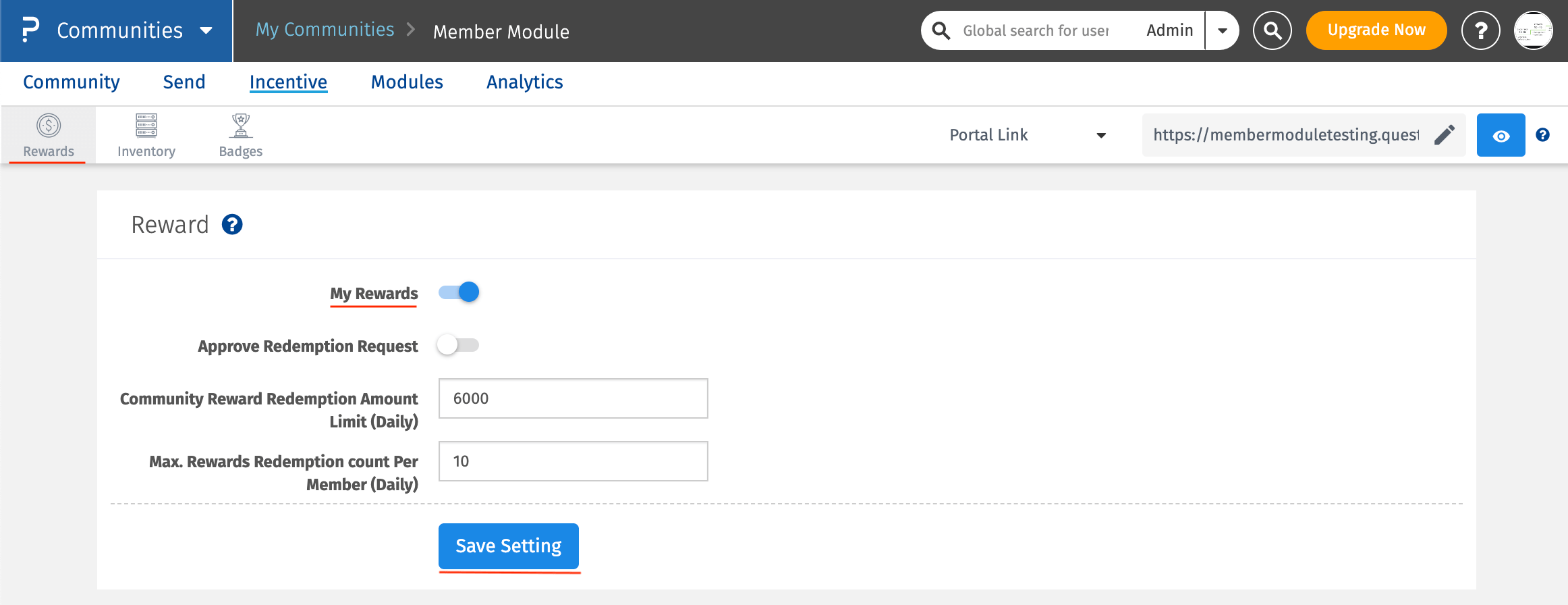
Go To: Communities >> Incentive >> Rewards
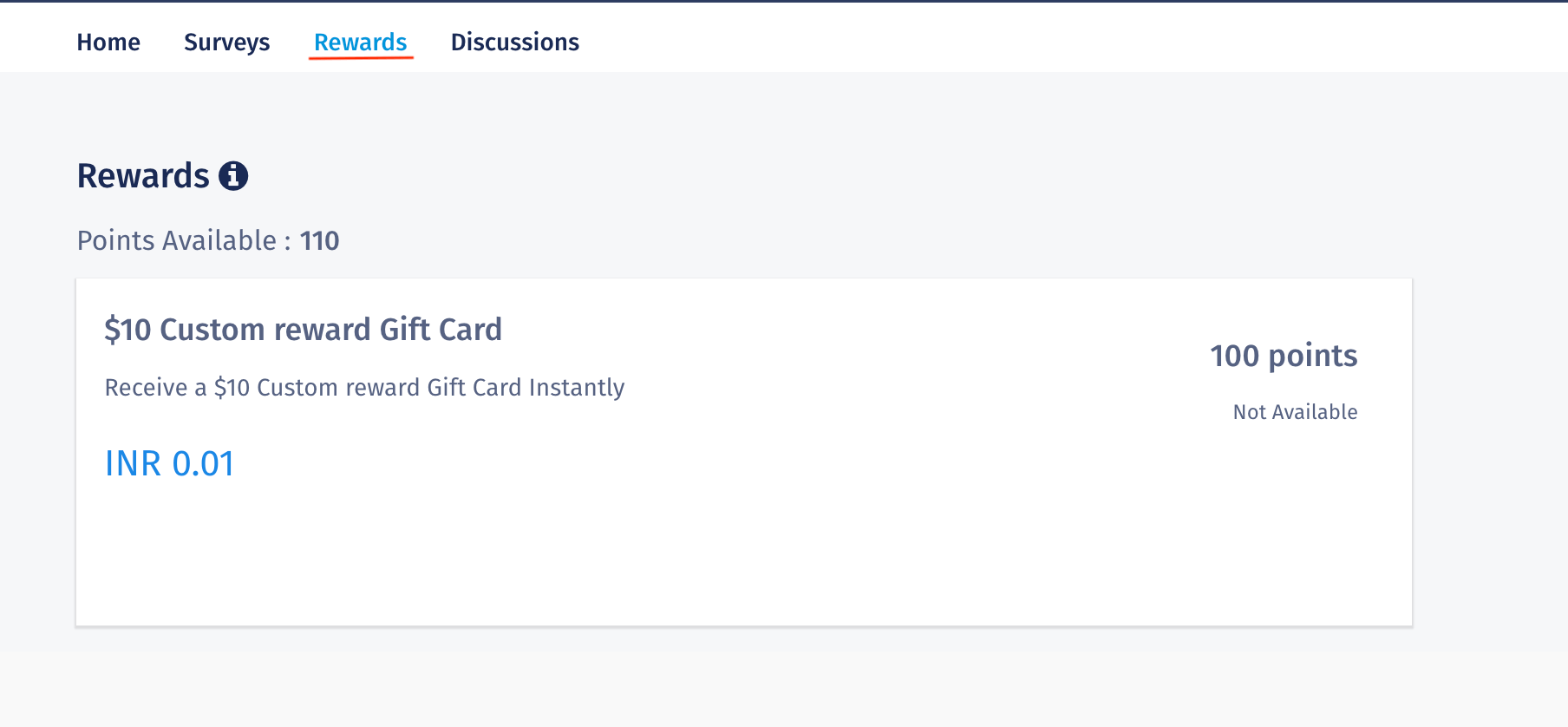
In order for members to see the earned/available rewards, you need to toggle on the "Rewards" settings.
- Approve Redemption Request- If as an admin/moderator, you would like to approve the rewards redemption request raised by the members, toggle on this setting.
- Community Reward Redemption Amount Limit (Daily)- It allows to set a threshold limit on the total amount of rewards that can be redeemed by the community members.
- Max. Rewards Redemption count Per Member (Daily) - It allows to limit the maximum number of rewards that the members can redeem on daily basis.
Once, all the settings are done for this section, click on the "Save Settings" button.
When the Rewards toggle is on, then Panel side-
When the Rewards toggle is on, then Portal side-
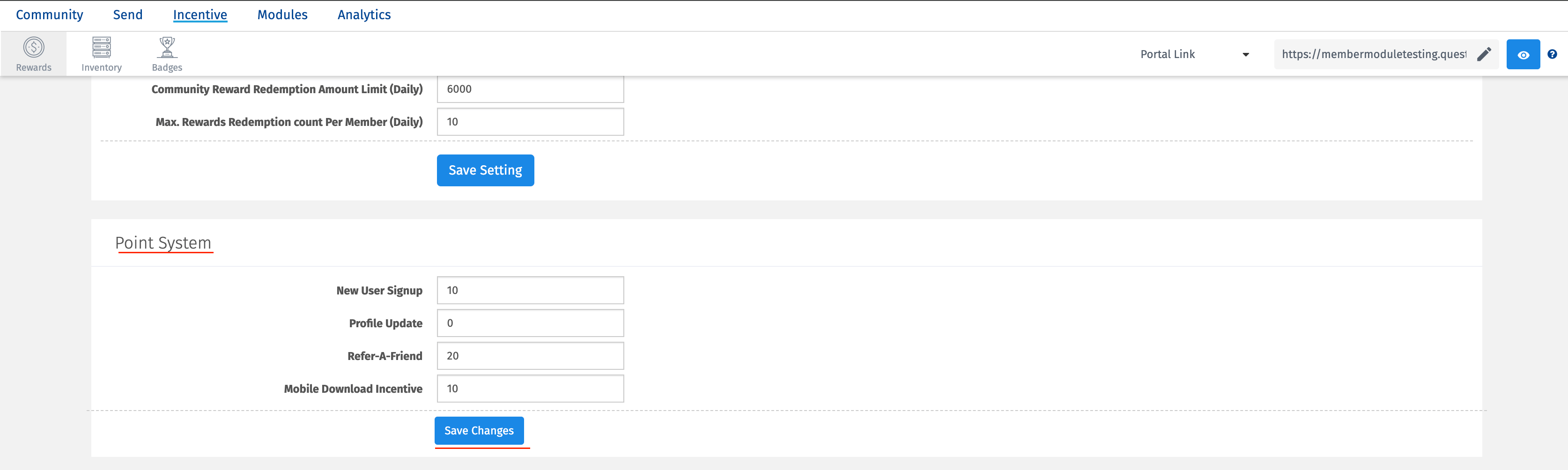
What is this Point System?
It allows admin to set the points which a member can earn when they meet the certain criteria.
- New User Signup: That is how many points to be allocated to a user who signs up on the community.
- Profile Update: How many point to alloacte to a user/member when they update their profile.
- Refer-A-Friend: If a member refers to other person and the secondary person signsup using the Refer a friend link, then the primary member will get the points.
- Mobile Download Incentive: When a member downloads the mobile app, they will receive the certain points.
Once all the values are added, click on the "Save Settings" button.
All these measures are taken to increase the user engagement and adoption on the platform and as well as on app.
You may also be interested in...
Reward Inventory
Communities - Approved/Rejected
Communities - Reward Approval Log
