


CX Surveys Integration and Shared Surveys Sync
InsightsHub can now import surveys from both QuestionPro Research and QuestionPro CX, and the survey sync job has been enhanced to also pull in surveys that other users have shared with you.
Once your QuestionPro account is connected, all your Research surveys, all your CX surveys, and any surveys shared with you by other users are automatically synced into the QuestionPro Surveys repository in InsightsHub and kept up to date. Surveys are synced once daily by the InsightsHub sync job, so any new surveys, updates, or newly shared surveys will appear in the QuestionPro Surveys repository on the next daily run.What is CX Surveys integration?
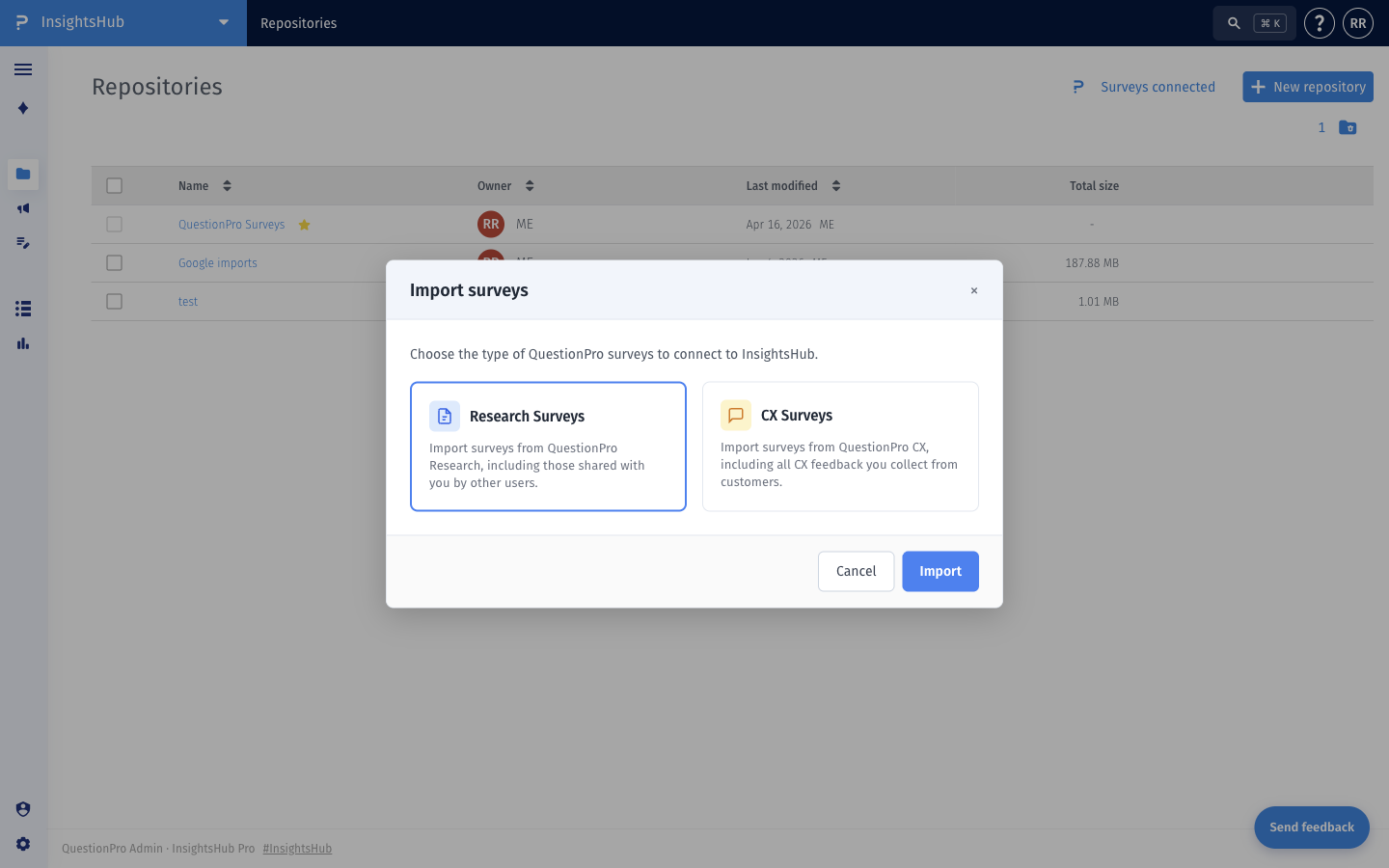
QuestionPro Research and QuestionPro CX are now both available as survey sources in InsightsHub. When you connect QuestionPro surveys, you can choose to import:
- Research Surveys — surveys from QuestionPro Research, including those shared with you by other users.
- CX Surveys — surveys from QuestionPro CX, including all CX feedback collected from your customers.
How to import Research and CX surveys?
- Go to: Login » InsightsHub » Repositories.
- Click Import surveys to open the import dialog. Select Research Surveys, CX Surveys, or both, and click Import.
- Once your surveys are connected, the Surveys connected indicator appears next to the New repository button, and the QuestionPro Surveys repository will start syncing your data.
Where do imported surveys appear?
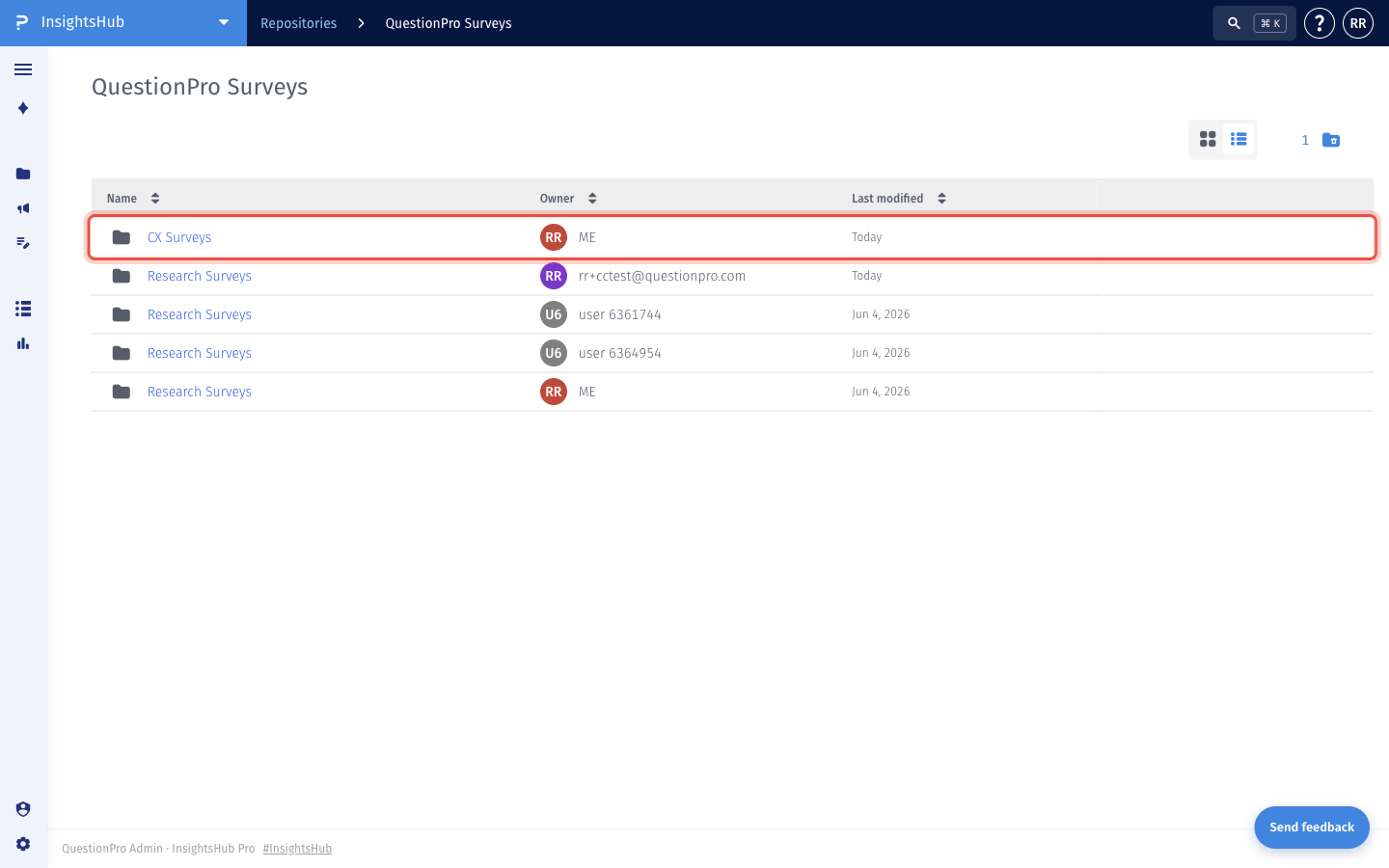
Imported surveys appear inside the QuestionPro Surveys repository, organized into folders by survey type and owner.
- Go to: Login » InsightsHub » Repositories » QuestionPro Surveys.
- You will see a CX Surveys folder containing all your CX surveys.
- You will also see one or more Research Surveys folders — one for each user whose surveys are available to you (your own surveys, plus surveys shared with you by other users).
What is shared surveys sync?
The survey sync job is now enhanced to also import surveys that other users have shared with you in QuestionPro Research. Previously, only surveys that you owned were synced.
For every user that has shared one or more surveys with you, the sync creates a separate Research Surveys folder under the QuestionPro Surveys repository, labelled with the survey owner. This makes it easy to see who owns each set of surveys, and lets you use shared surveys in InsightsHub the same way as your own.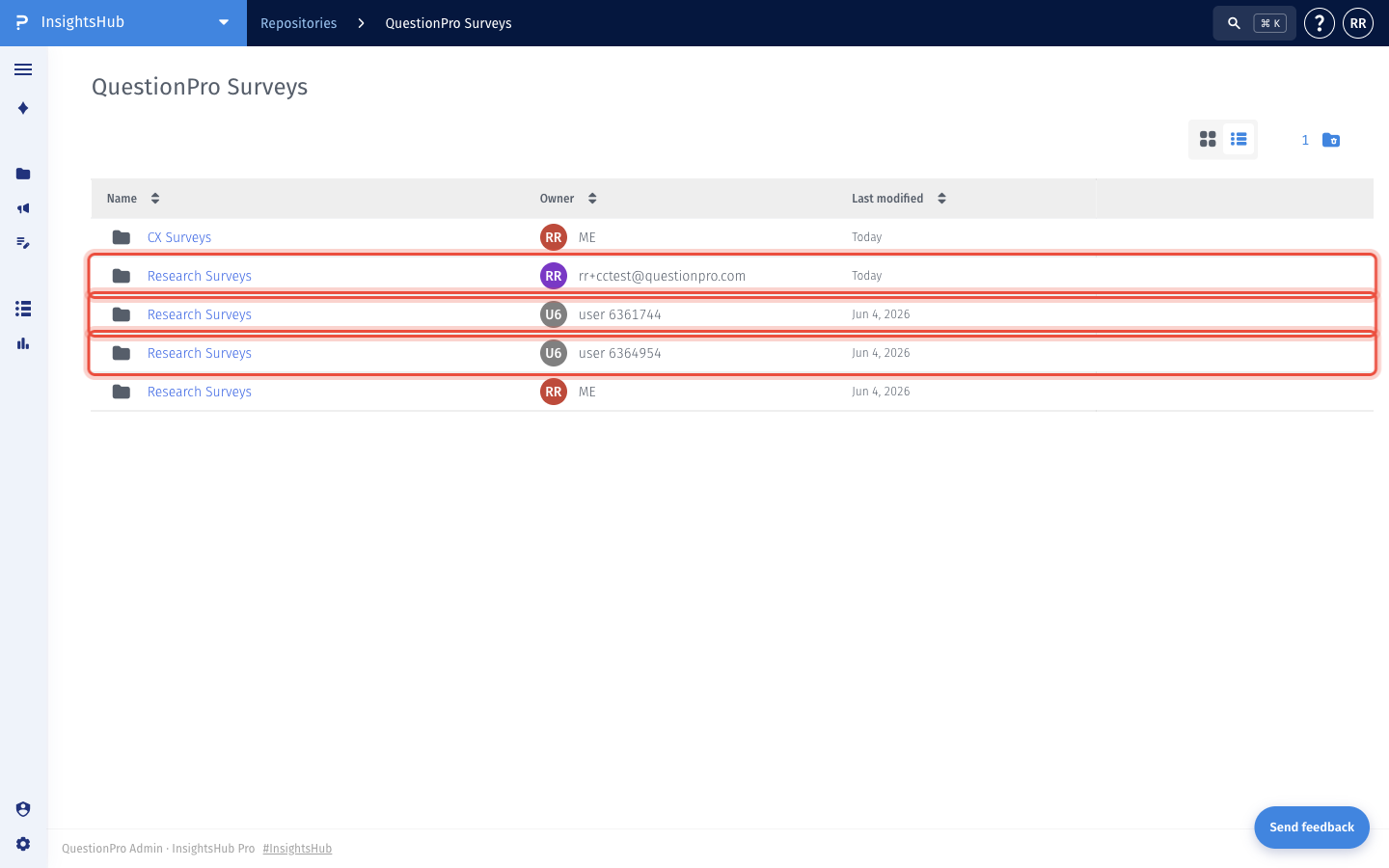 Shared survey folders are refreshed automatically by the sync job — no extra setup is required. If a new user shares a survey with you, a new Research Surveys folder for that user will appear on the next sync.
