

- Custom Variable Widget
- Priority Matrix
- Heatmap Widget
- Grid Widget
- Weighted mean widget
- Comment List widget
- Widget Filters
- Ranking List Widget
- Distribution Chart
- NPS Widget
- Trend Widget
- Word Cloud Widget
- Cross tab widget
- KPI Comparison Widget
- Bubble chart
- Custom Metric Trend Chart
- Trend Comparison Widget

Anomaly Detection in Intercept
Anomaly Detection in Intercept helps identify unusual increases or decreases in website visitor activity by comparing matched visitor counts across completed time periods.
You can configure anomaly detection to monitor daily, weekly, or monthly visitor activity and specify the percentage change that should trigger an alert.
When visitor activity crosses the configured threshold in the selected direction, Intercept records an anomaly event and creates email delivery records for the configured recipients.
Watch this video for a quick overview of the Anomaly Detection in Intercept.
Intercept supports two directions of visitor anomaly detection:
- Rises above: Detects an increase in matched visitors that crosses the configured percentage threshold.
- Drops below: Detects a decrease in matched visitors that crosses the configured percentage threshold.
You can configure the threshold and select the direction based on the type of visitor activity you want to monitor.
You can create an anomaly rule in Intercept to monitor unusual increases or decreases in matched website visitors and receive email notifications when the configured threshold is breached.
To create an anomaly rule, follow these steps:
- Go to Intercept.
-
Navigate to Anomalies.

-
Click Create Anomaly.
- Enter a name for the anomaly rule so you can easily identify it.
-
Select the Anomaly Type to specify whether you want to
monitor visitor increases (Rises above) or decreases
(Drops below).
- Review the rule configuration and click Save to create the anomaly rule.
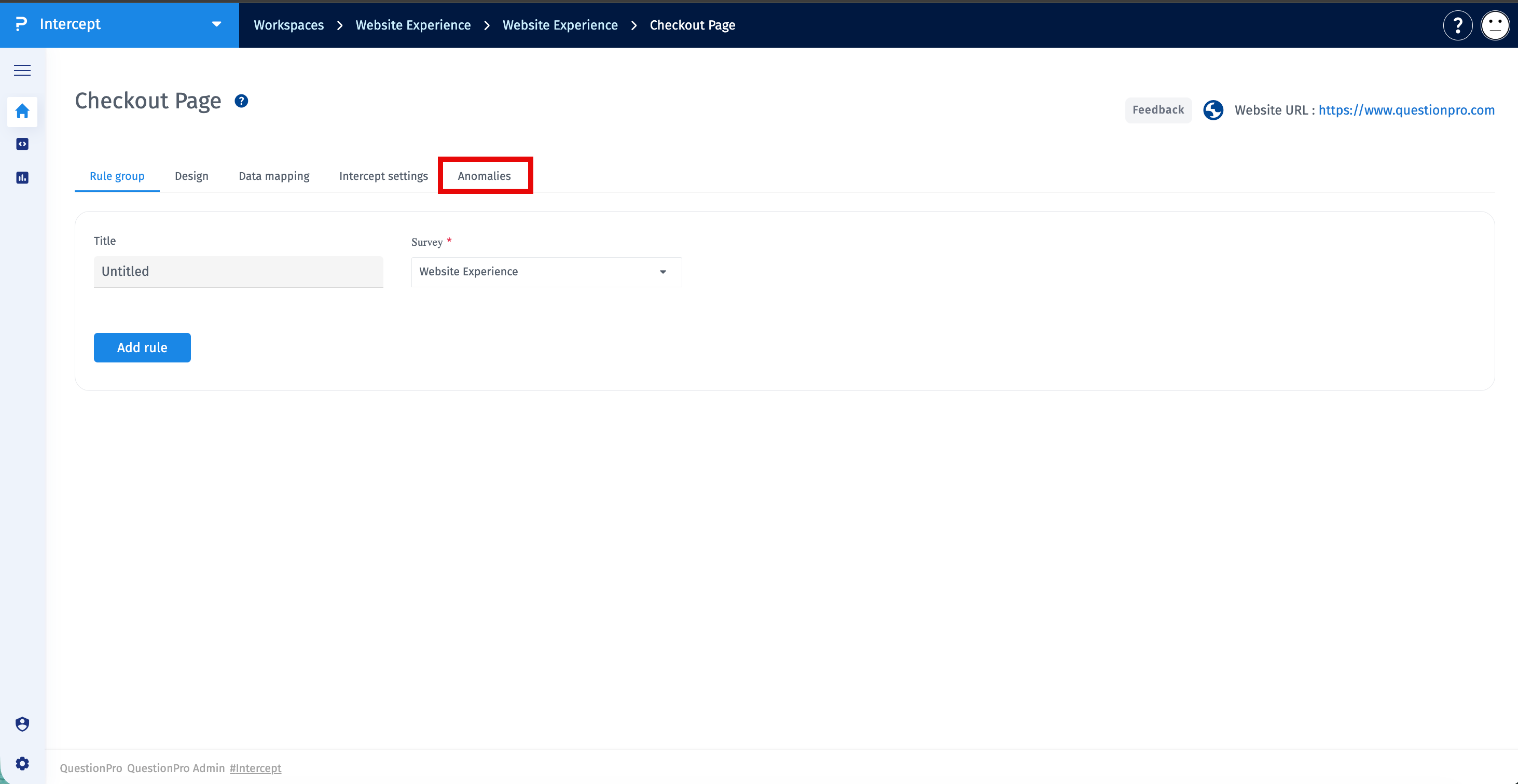
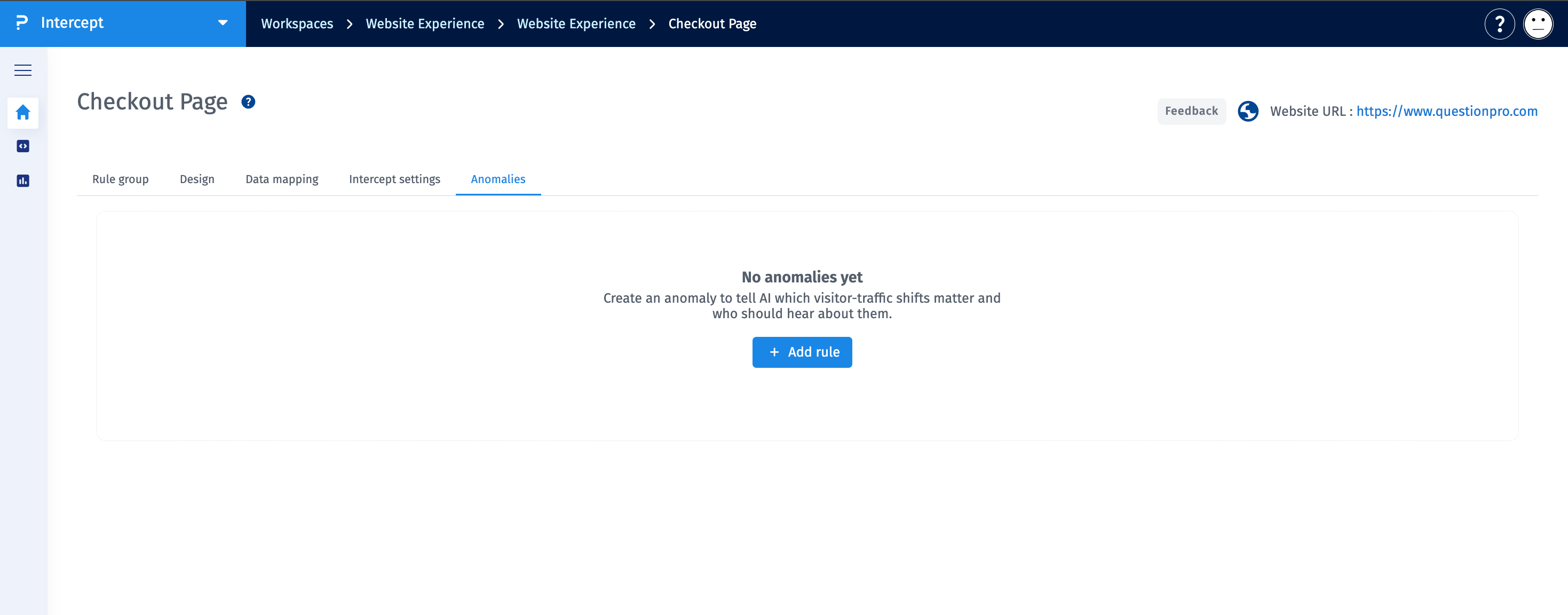
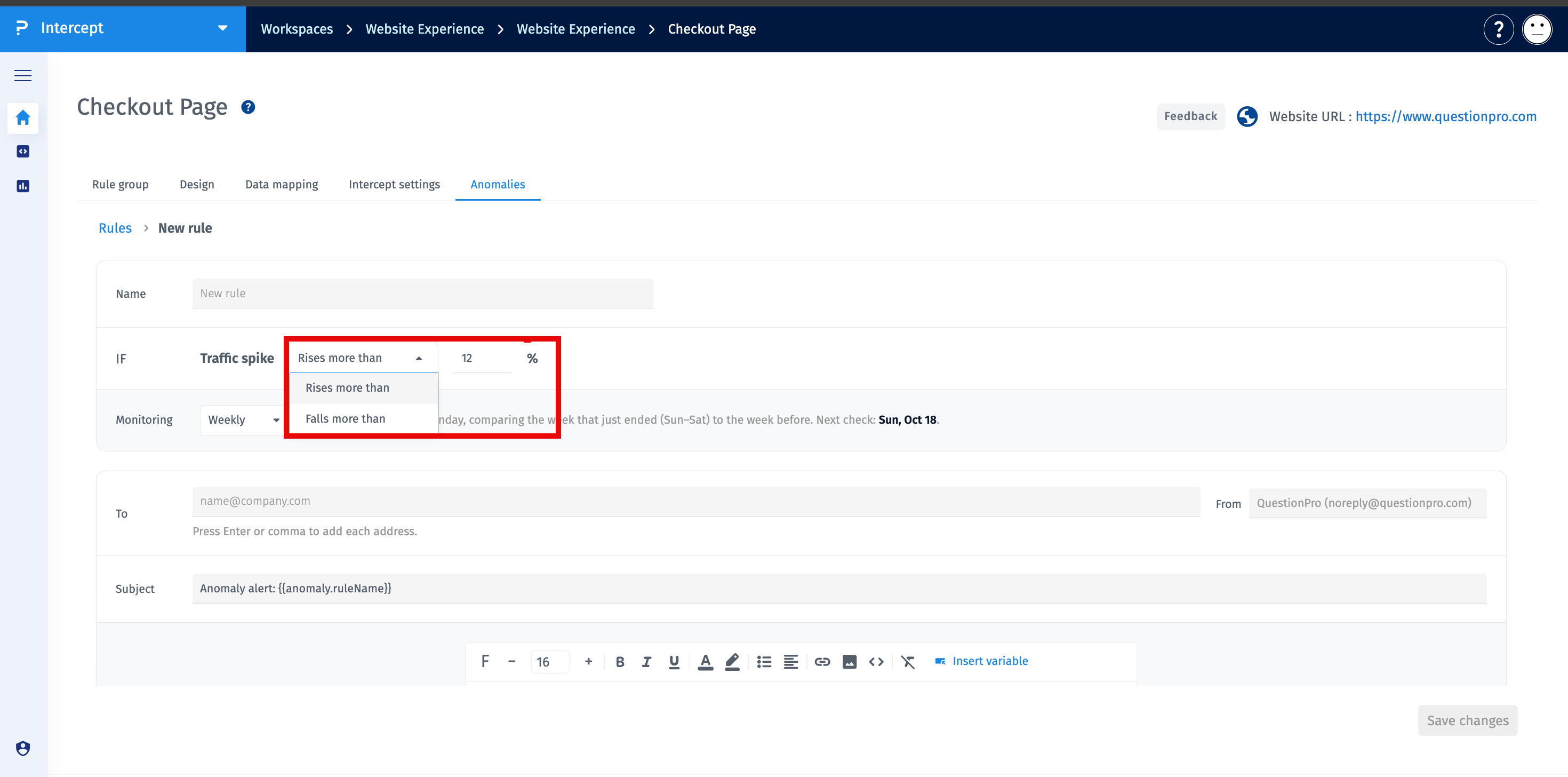
Once saved, the rule is evaluated according to the supported daily, weekly, or monthly evaluation schedule. An alert is generated when visitor activity breaches the configured threshold in the selected direction.
Visitor Anomaly Detection compares matched visitor counts across completed time periods to identify unusual increases or decreases in website activity.
The rule evaluates visitor activity using the configured time period and percentage threshold. When the change meets the configured anomaly condition, Intercept records an anomaly event and generates email delivery records for the configured recipients.
